 PSWFina
Know where your money goes.
PSWFina is your personal household ledger: income and expenses in your own categories, recurring payments included – and reports that show how your finances develop.
Coming soon to the App StoreHow it works
Create categories
Set up categories and subcategories the way they fit your life – for example “Groceries → Market” or “Car → Fuel”.
Book
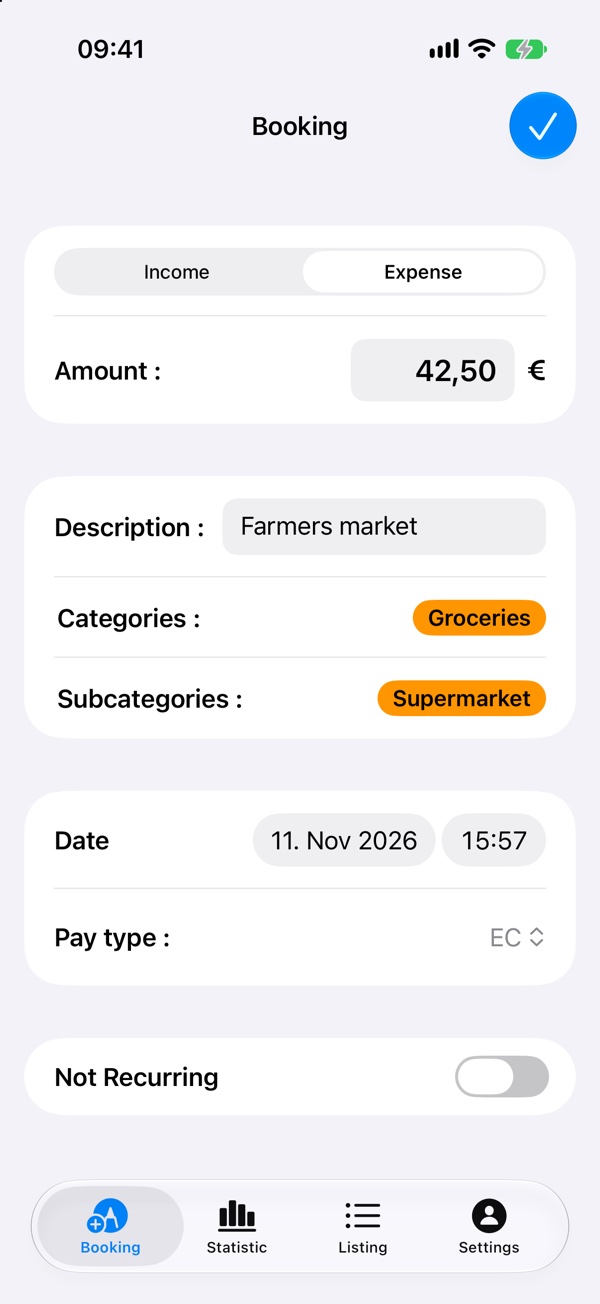
Amount, category, payment type, done. Regular payments such as rent or salary you set up once as a recurring booking.
Analyse
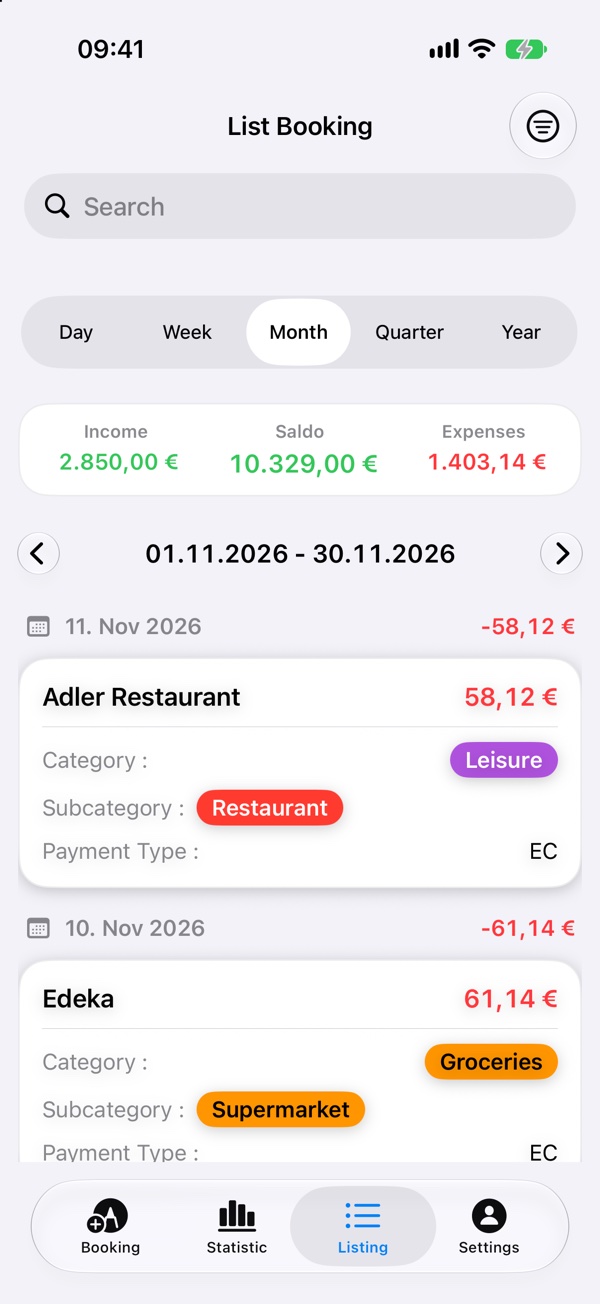
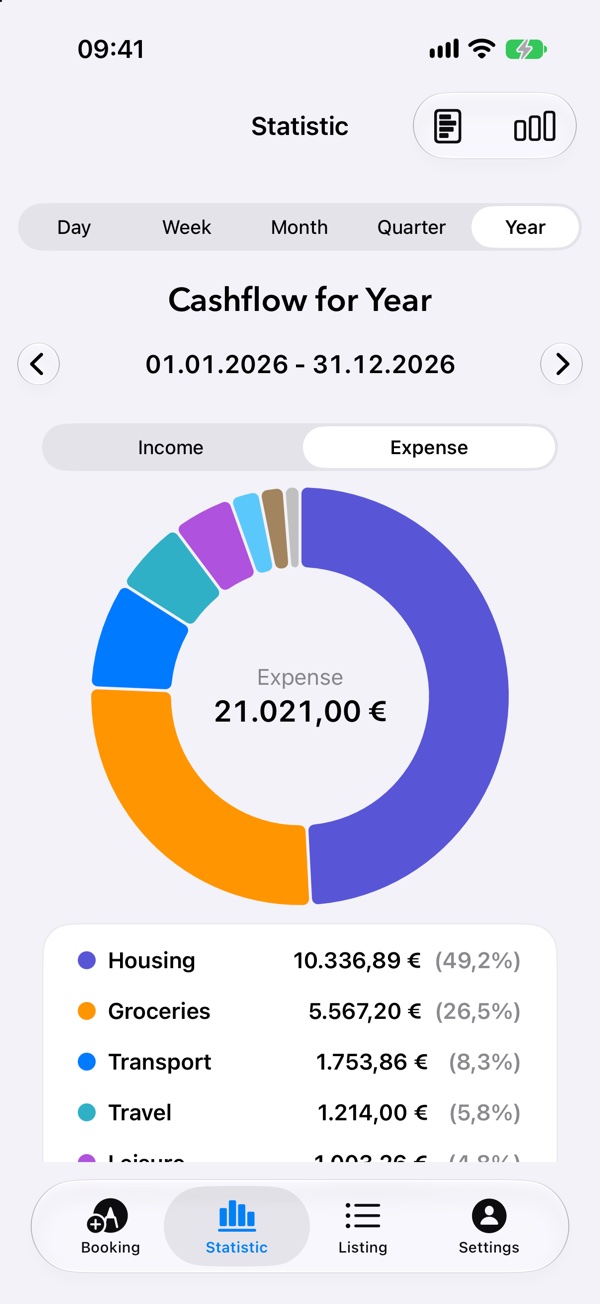
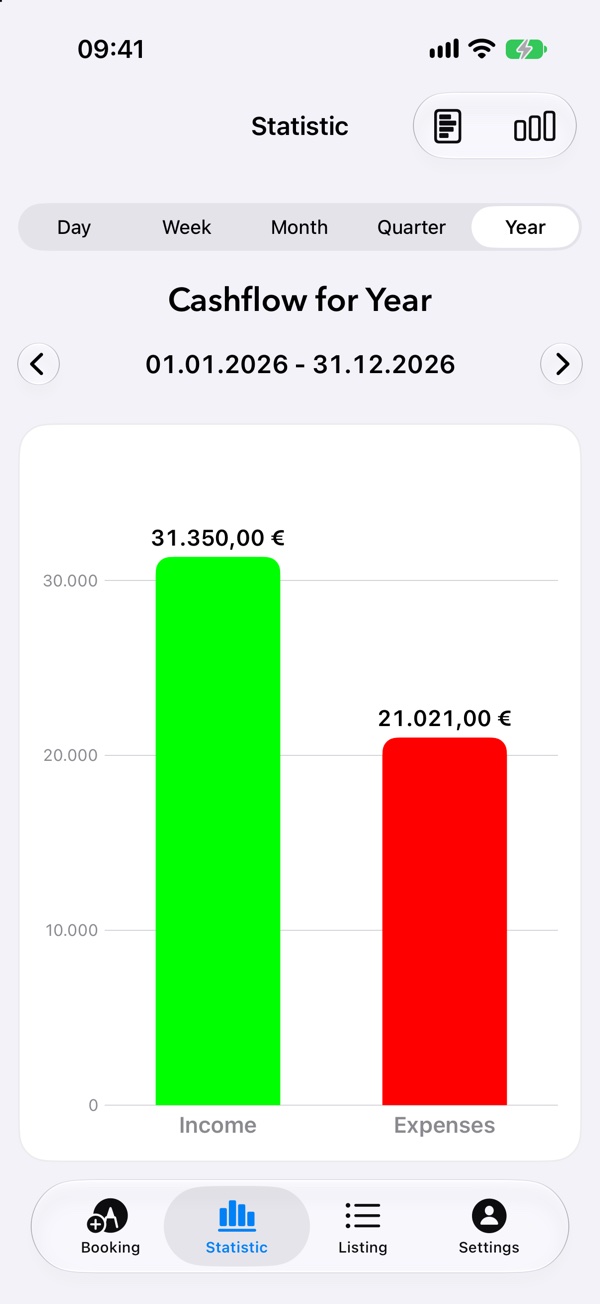
See income, expenses and balance for a day, week, month, quarter or year – as a list and as a chart.
A look inside the app
From booking to reports.
What PSWFina can do
Your categories
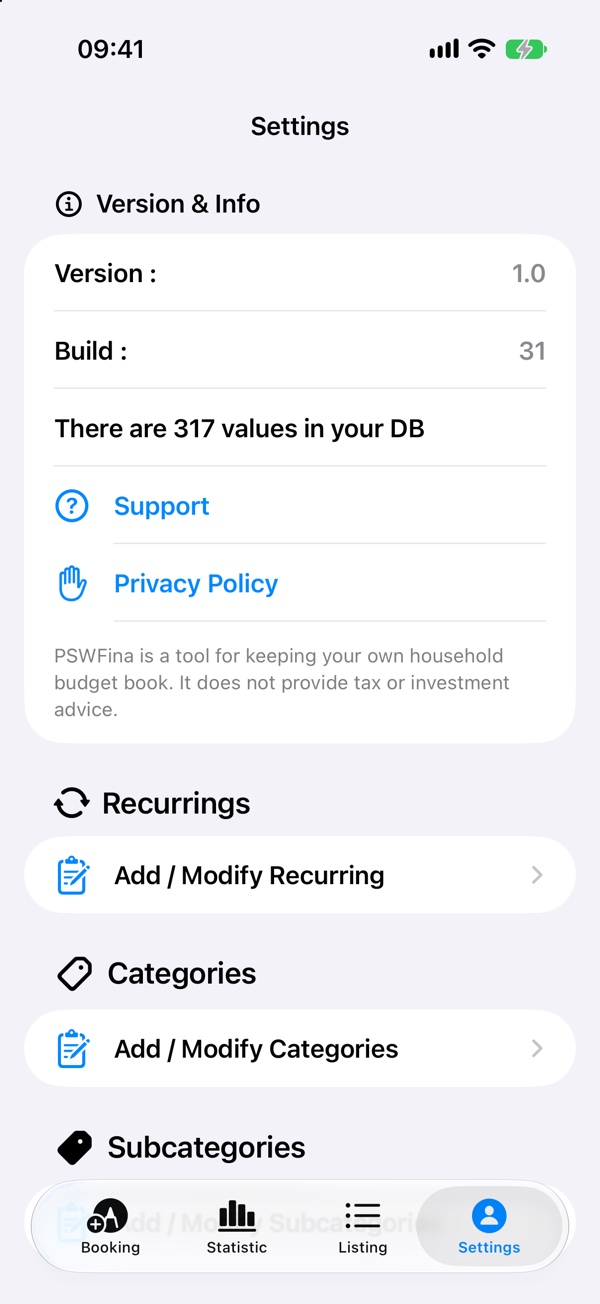
Freely chosen categories and subcategories with their own colours – no rigid defaults.
Recurring bookings
Recurring income and expenses are booked automatically when you open the app – weekly, monthly or at your own rhythm.
Reports
Ring chart by category, income against expenses and a weekly trend – for a day, week, month, quarter or year. You can also save reports as PDF.
Widget
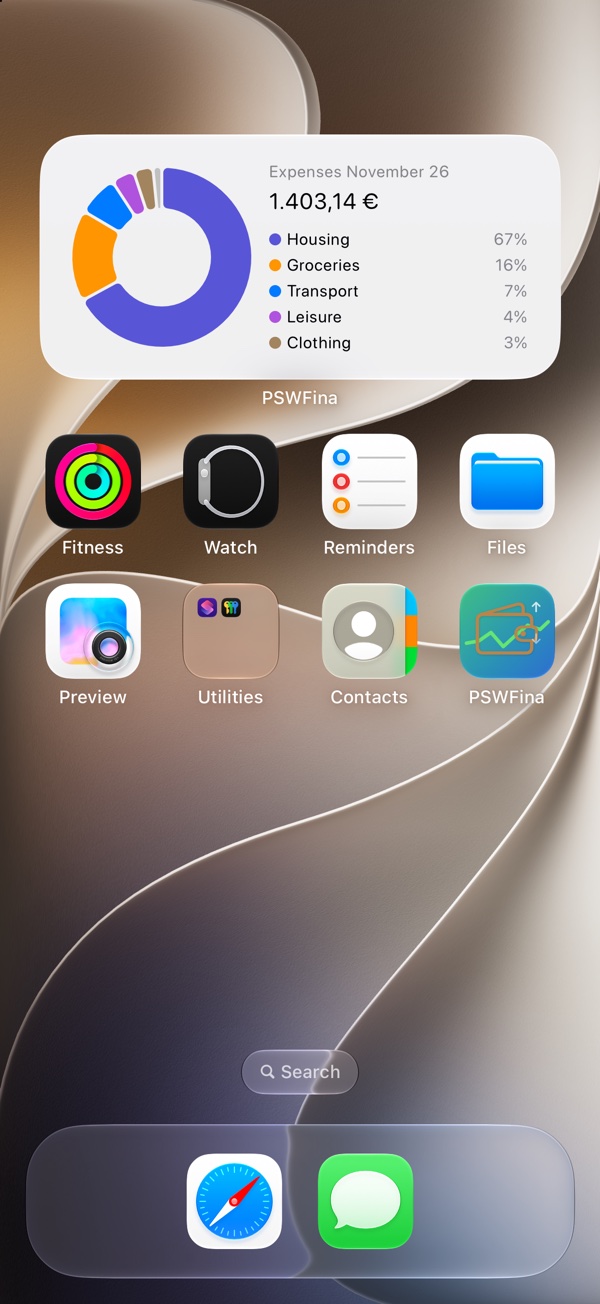
This month’s expenses by category on the Home Screen – without opening the app.
iPhone and iPad
Through your private iCloud, your bookings are the same on all your devices.
Backup as JSON
Export all data as a JSON file – as a backup or to move to a new device.
Your data belongs to you
PSWFina is not connected to your bank and needs no login details. No account, no server of my own, no ads, no tracking. Your bookings are on your devices and in your private iCloud – I have no access to them.
Note: PSWFina is a tool for keeping your own household budget book. It does not provide tax or investment advice.
Frequently asked questions
Which devices is PSWFina available for?
For iPhone and iPad with iOS 26 or later.
Does the app fetch my transactions from the bank?
No, deliberately not. You enter your bookings yourself. That way the app needs no bank login details, and you keep full control.
Do I need iCloud?
No. Without iCloud your bookings stay on the device only. With iCloud they are synchronised between your devices.
You will find more answers on the support page.